Appearance
Handle booking requests
Booking requests need a decision before the guest can rely on the result. Review happens in Booking Request List.
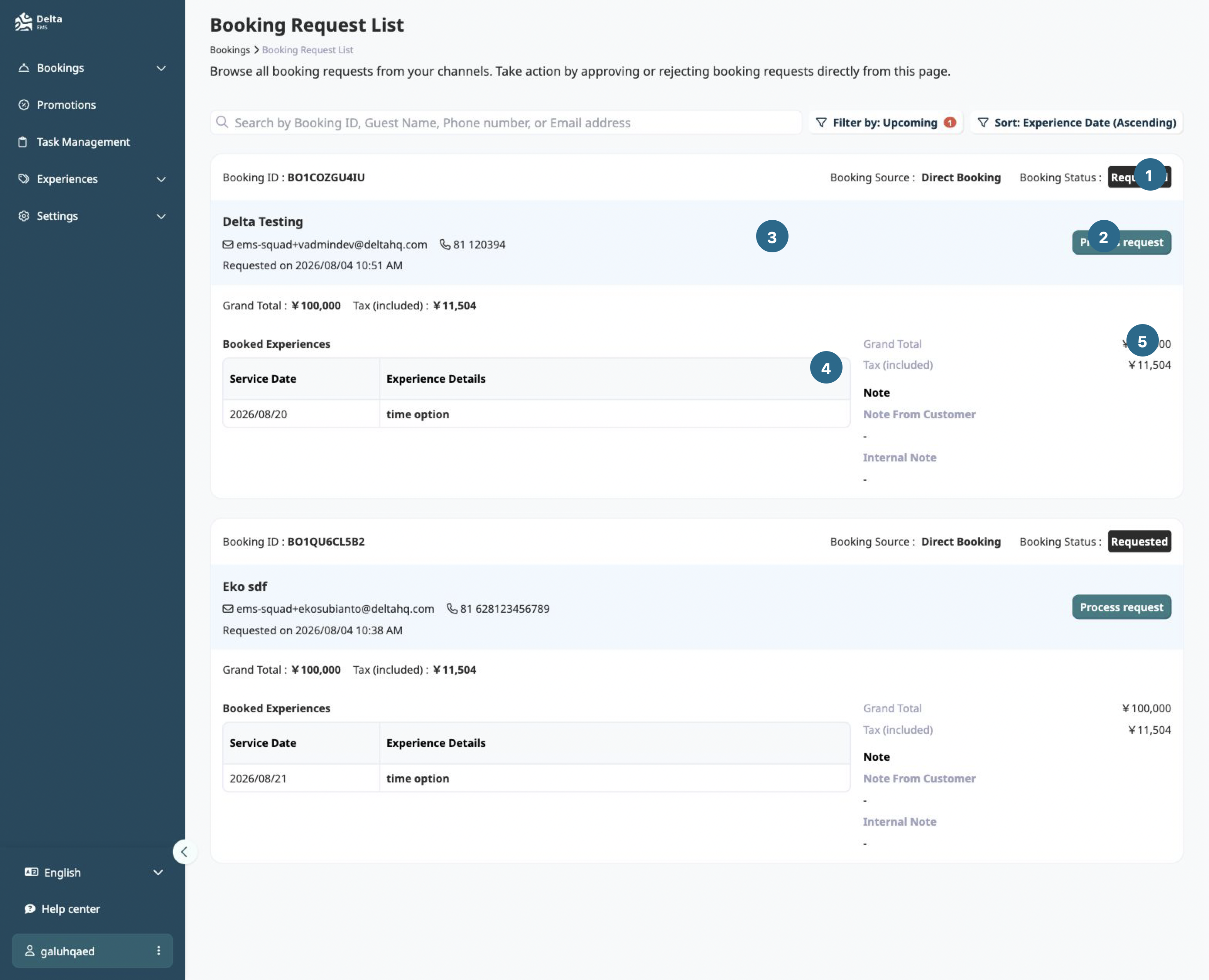
- Booking status
- Process request
- Guest and request details
- Booked experience
- Money and notes
Review a request
- Open Booking Request List from Bookings.
- Open a request to inspect its experience, date, guest details, and requested lines.
- Review each line independently.
- Approve or reject the requested lines.
- Confirm the resulting booking status and item statuses in the record.
What the decision changes
An approved line becomes confirmed. A rejected line is rejected. A booking can therefore contain different item outcomes even when the booking record itself remains valid.
Approval is determined by availability slot. It is not a global setting on the experience. See Availability and capacity.
Propose a change
When the requested date, time, option, or add-on cannot be accepted as submitted, propose a change on the affected line. The request moves to Pending customer confirmation while the guest reviews the proposal.
The guest can accept the proposal, reject it, or respond to individual lines. Accepted lines become confirmed. Rejected lines do not proceed.
Confirmed is not paid
Approval answers whether the service can go ahead. Payment answers whether money has arrived. Invoice status answers whether the bill has been issued. These states remain separate after approval.
See Booking statuses and Prices and fees.
If a request looks wrong
Check these in order:
- Which item was approved or rejected?
- Which availability slot supplied the approval rule?
- Which booking source created the request?
- Was a proposal waiting for customer confirmation?
- Which payment and invoice states are shown separately?
Do not use the booking status alone to explain a request outcome.