Appearance
Manage bookings
Booking operations start in the Booking List and continue in booking detail. The list is for finding work; detail is for understanding and changing one booking.
Find a booking
The Booking List provides:
| Control | Use |
|---|---|
| Upcoming | Bookings with future service dates |
| Unpaid | Bookings that still have money due |
| Recently added | New bookings that need attention |
| Search | Booking ID, guest name, phone number, or email address |
| Filter and sort | Narrow the list by booking state or experience date |
| List view and Calendar view | Switch between record detail and date-based planning |
Open View details to inspect one booking.
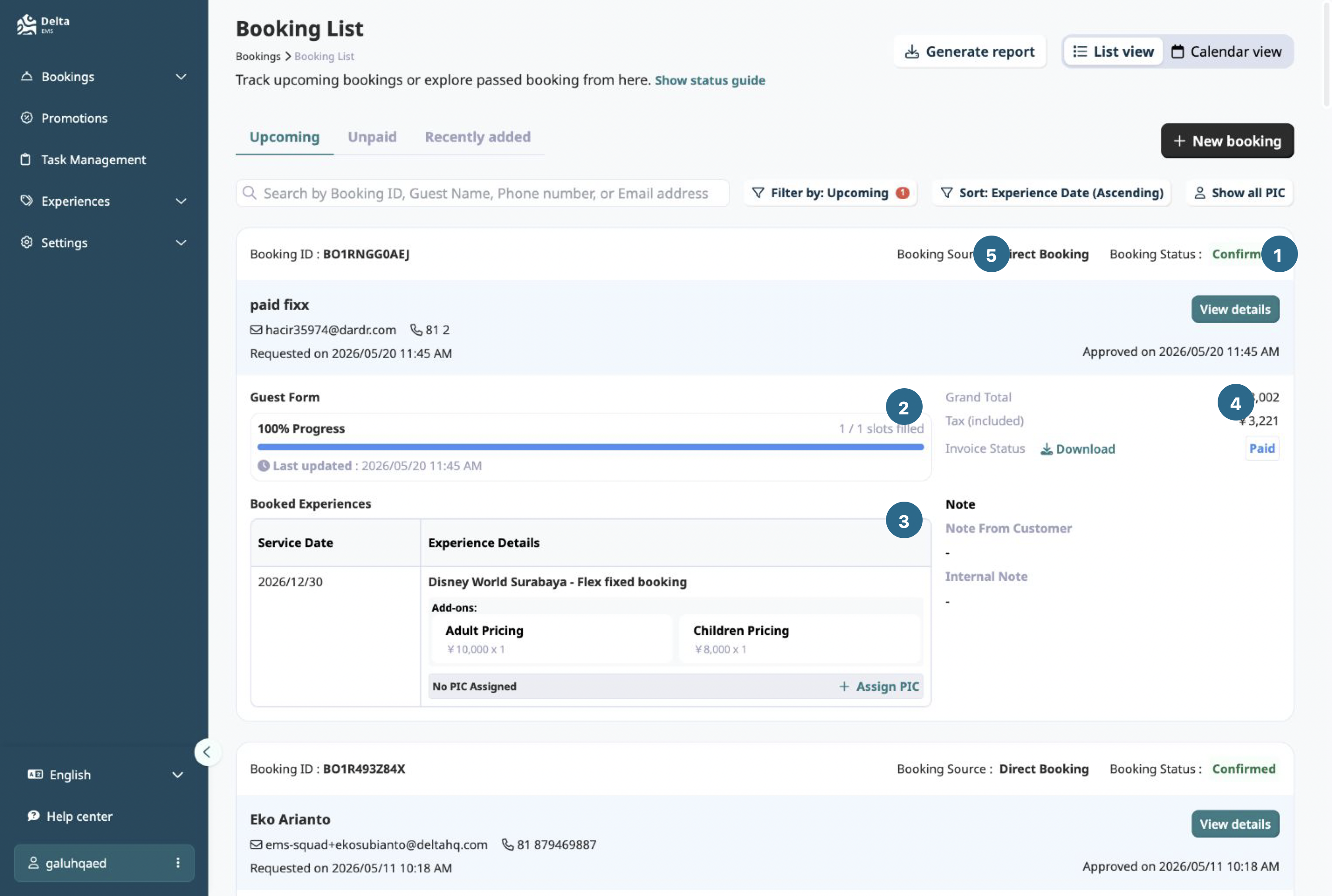
- Booking status
- Guest form progress
- Booked experience
- Money and invoice state
- Booking source
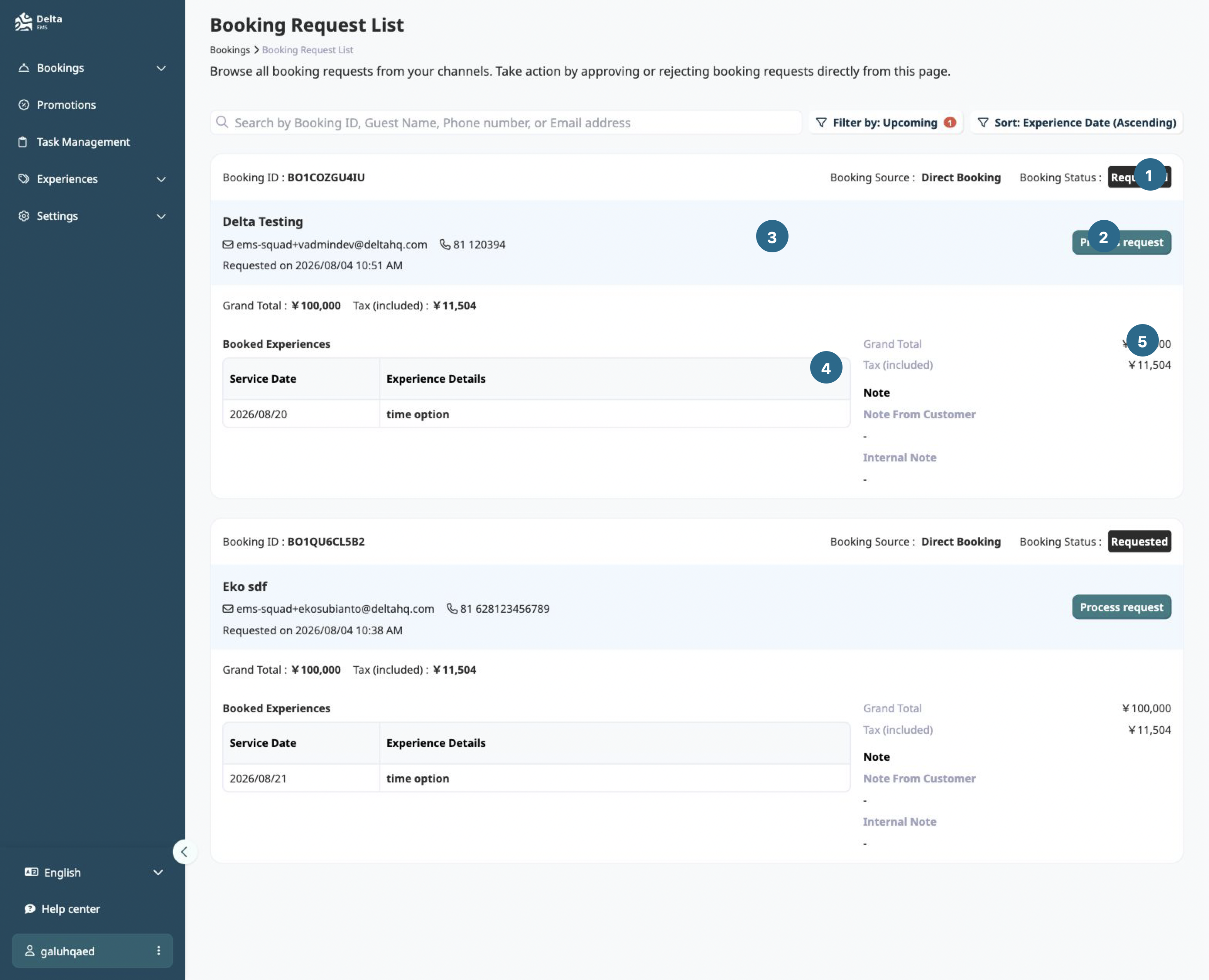
- Booking status
- Process request
- Guest and request details
- Booked experience
- Money and notes
Read booking detail
Booking detail separates service, money, and guest information:
- The header shows booking status and actions such as archive or notes.
- Overview shows booked experiences, dates, options, source, prices, and guest form data.
- Payment shows payment and invoice information.
- Tasks shows operational follow-up when tasks exist.
See Reading booking detail for the page anatomy.
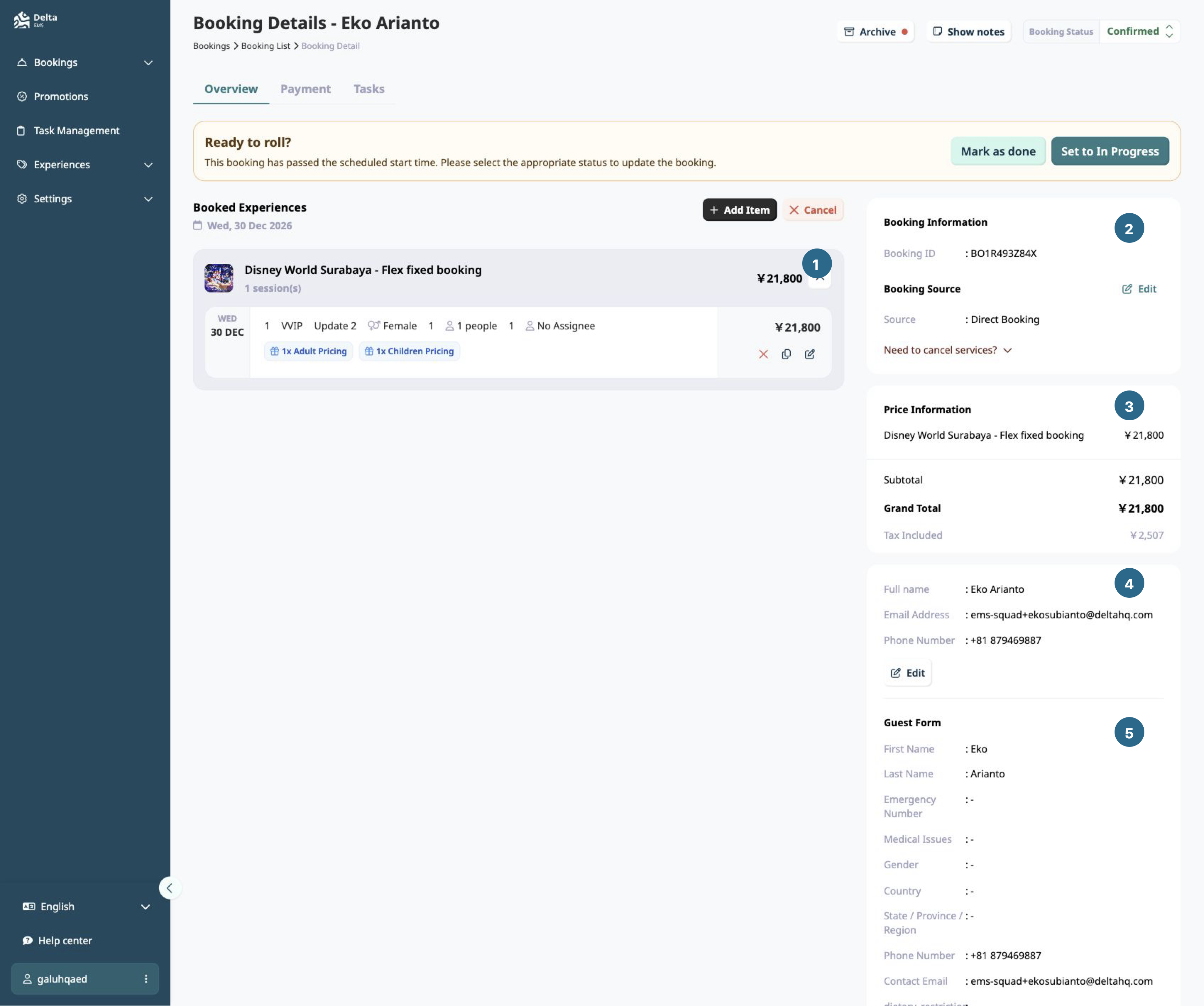
- Booked experience and item details
- Booking information and source
- Price information
- Guest details
- Guest form
Change service status
Booking status answers whether the overall trip is happening. Item status answers whether each booked line is accepted. Payment and invoice status are separate.
Use the status control in booking detail only for the service lifecycle. Do not infer payment state from a confirmed booking.
See Booking statuses for the full state model.
Create a manual booking
Use New booking when a booking arrives outside the normal guest or partner booking path. Complete the booking and guest information, then verify the resulting source and status in booking detail.
Archive a booking
Archive is a record-management action. It does not mean cancelled, paid, refunded, or completed. Check the relevant status before archiving.
For changes after confirmation, see Modify confirmed bookings. For service cancellation, see Cancel and refund bookings.