Appearance
Manage pricing
Pricing setup is spread across rates, options, add-ons, and promotions. The guest-facing total depends on how those pieces combine.
Set the price basis
Create the experience options and mark the pricing reference. The pricing reference is the option used to determine the base price.
Add rates and extras
- A rate defines what the experience costs and the period it covers.
- An add-on is an optional extra with its own price and capacity.
- A promotion changes the price when its conditions apply.
After changing any of these, verify the guest-facing price for a representative date and option set.
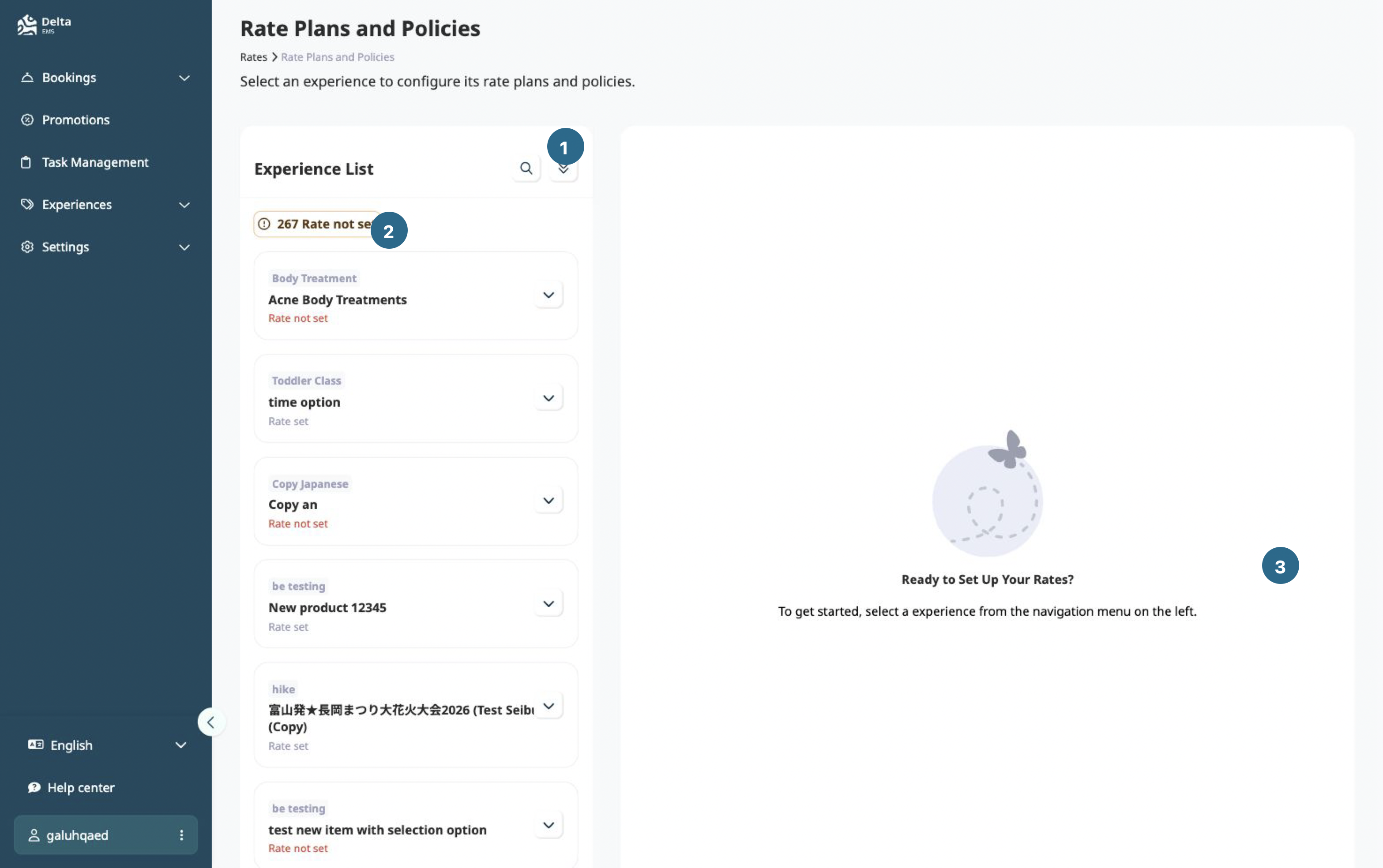
- Experience list
- Rate readiness
- Rate setup area
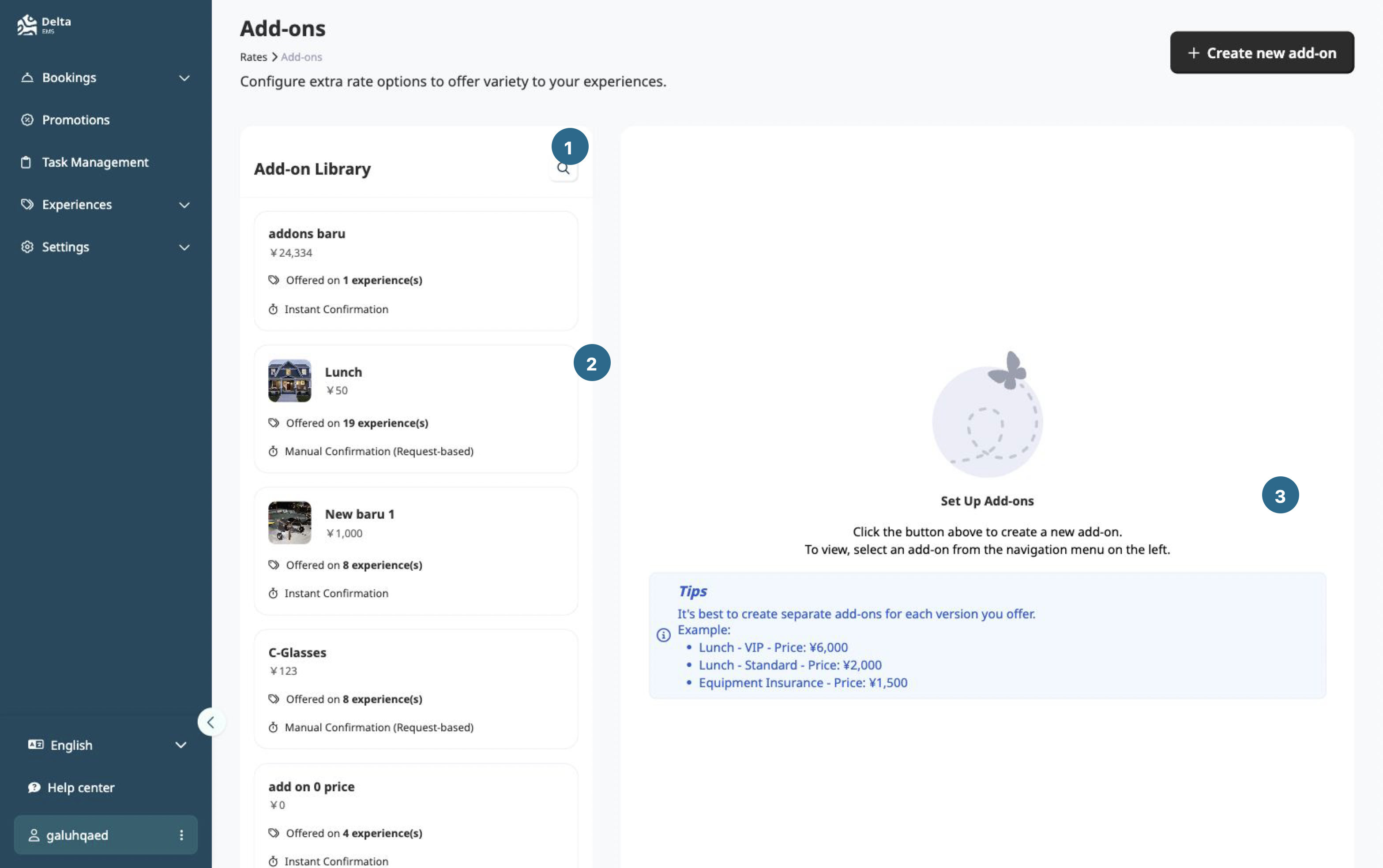
- Add-on library search
- Add-on record
- Add-on setup area
Check the total
EMS treats tax as included in the displayed total. The calculation order is discount, platform fee, commission, then tax. A different order produces a different result.
See Prices and fees for formulas and partner calculations.
Before publishing
Confirm:
- A valid rate covers the intended booking dates.
- The pricing reference matches the option that should control price.
- Add-on prices and capacity are correct.
- Promotions have the intended scope and dates.
- A test booking shows the expected total and tax treatment.
Pricing changes affect new booking calculations. Recheck existing bookings separately before changing their records.